
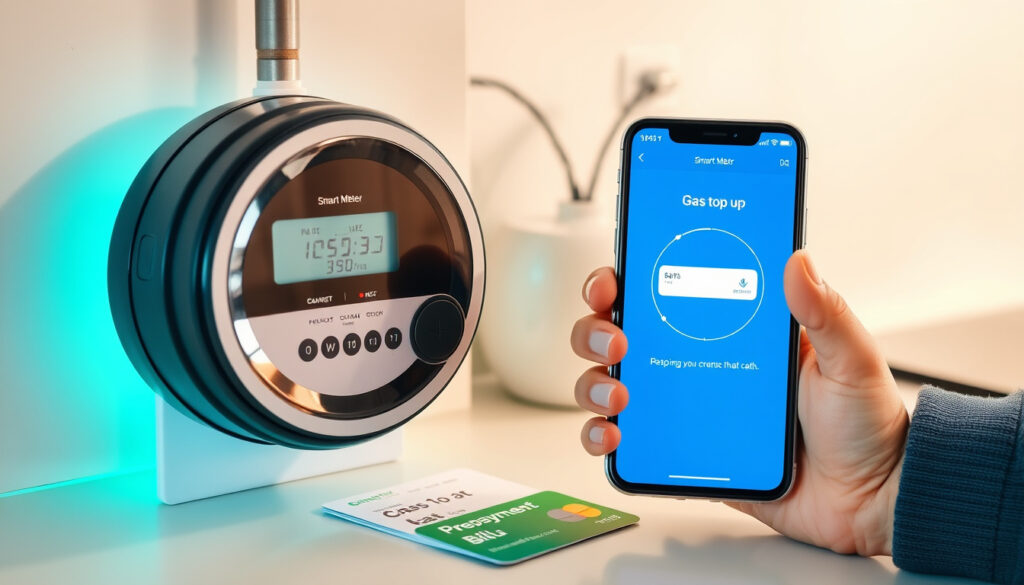
Anyone who manages household bills on a pay-as-you-go energy tariff knows the feeling of glancing at the meter and hoping the credit holds. British Gas Smart Top Up takes the stress out of that moment by letting you add credit from your sofa, your phone, or even a high street shop without fumbling for a key or card.
Top-up methods available: 4 (online, app, phone, in-store) ·
Phone top-up number: 0330 332 0976 ·
Smart card digits: 19
Quick snapshot
- Log in to your British Gas account (British Gas Smart PAYG page)
- No smart card number needed (British Gas Online Account) (British Gas Smart PAYG page)
- Credit sent remotely within minutes (British Gas Official Meter Help) (British Gas Smart PAYG page)
- Download the British Gas app (British Gas Website)
- Use fingerprint or face ID (British Gas App Guide)
- Instant balance update on phone and in-home display (British Gas Official Meter Help)
- Call 0330 332 0976 (British Gas Contact Page)
- Have your 19-digit Smart Card number ready (British Gas Smart PAYG page)
- Automated service available 24/7 (British Gas Help & Support)
- Take your Smart Card to Post Office or Payzone (Payzone Blog)
- Pay with cash or card (Payzone Blog)
- Credit appears on meter within minutes (British Gas FAQ)
Five key facts about British Gas Smart Top Up, one pattern: each method works without inserting a physical card.
| Label | Value |
|---|---|
| Phone number for top-up | 0330 332 0976 |
| Smart card digit length | 19 |
| Online top-up requirement | British Gas online account |
| Manual code length | 20 digits |
| Supported meter brands | Landis & Gyr, Secure, and others |
| Minimum in-store top-up (gas) | £1 (Payzone UK blog) |
| Max retry attempts per 10 min | 5 (British Gas official help page) |
| Lockout duration after excess retries | 1 hour |
The implication: once you know your meter model, the process becomes predictable — and the lockout rule makes accuracy essential.
How do I top up my British Gas smart card?
British Gas provides four ways to put money on your prepayment meter. Each method sends credit wirelessly to your meter, so you never need to insert a card or key.
Topping up online via the British Gas website
- Log in to your British Gas online account — you can top up without entering a smart card number.
- Select the “Top Up Online” tab and choose the amount (between £1 and £99).
- Credit is sent remotely and usually appears within minutes.
Topping up via the British Gas mobile app
- Download the British Gas app from your app store.
- Sign in with fingerprint or face ID, then select the prepayment account.
- Pay by debit/credit card and the balance updates on your in-home display instantly.
Topping up by phone using the automated line
- Call 0330 332 0976 — the automated service runs 24/7.
- Have your 19-digit Smart Card number ready.
- Follow the voice prompts to enter the amount and card details.
Topping up at a Post Office or Payzone store
- Take your physical Smart Card to any Post Office or Payzone store.
- Minimum top-up is £1 for gas, £1–£49 for electricity.
- Pay with cash or card; credit transfers automatically when you get home.
How does Smart Top Up work with prepayment?
How credit is transferred to your meter
- Credit added online, via app, or by phone is sent directly to your smart meter remotely via the mobile network.
- You do not need to insert a card or key into the meter — the process is fully wireless (British Gas official help page).
Real-time balance updates on your in-home display
- Your in-home display shows your updated balance within moments of a successful top-up.
- The meter itself also tracks remaining credit and warns you when it’s low.
Difference between standard prepayment and Smart Top Up
- Traditional prepayment requires a physical key or card that you take to a shop.
- Smart Top Up eliminates the need to visit a shop for emergency credit — you can top up from anywhere at any time (British Gas Smart PAYG page).
The catch: because the system relies on mobile network connectivity, very rural locations may occasionally see delayed transfers — though British Gas states the process is instantaneous for most customers.
What is a smart prepayment meter?
How it differs from a standard smart meter
- A standard smart meter records usage and sends readings automatically but does not require pre-payment.
- A smart prepayment meter combines smart meter technology with a pay-as-you-go tariff. You top up credit before using energy, and the meter tracks your balance in real time (Smart Energy GB – government-backed campaign).
How prepayment mode works with British Gas
- British Gas installs smart prepayment meters that support remote top-up — credit arrives wirelessly.
- You can see how much credit you have left and receive warnings when it’s low.
Key features and limitations
- Smart prepayment meters can switch between prepayment and credit mode if your circumstances change.
- One limitation: if you fall behind on payments, British Gas may switch you to prepayment mode as a debt management tool.
Why this matters: for households on tight budgets, the real-time balance visibility acts as a spending guardrail — but it also means you can’t “forget” to pay at the end of the month.
How do I manually add a top up to my smart meter?
Manual entry for Landis & Gyr e470 models
- If remote top-up fails, you can enter a 20-digit code manually into your meter.
- The code is provided after an online or phone top-up if automatic transfer is unavailable.
- On a Landis & Gyr e470, press the A and B buttons simultaneously until “Code” and a row of asterisks appear (British Gas Official Meter Help).
- Use A to scroll through digits 0–9 and B to advance to the next position.
- After the 16th digit, pressing B shifts the number left; continue until all 20 digits are entered.
- Hold A after the last digit to confirm — “Credit Accepted” appears.
Troubleshooting when the automatic credit transfer fails
- “Re-enter Code” – the code was typed incorrectly. Use B to backtrack and correct.
- “Credit Already Used” – the vend code has already been applied to the meter.
- “Invalid code” – the code is not for this meter (wrong fuel type or meter ID).
- You have up to 5 retry attempts in a 10-minute window; after that the meter locks for 1 hour (British Gas Official Meter Help).
If you mistype the code three times in a row, the lockout kicks in and you’ll be unable to try again for an hour. Double-check each digit before confirming.
The implication: mastering this sequence ensures you can add credit even when remote transfer fails.
Step-by-step manual top-up for Landis & Gyr e470
- Prepare your 20-digit code – obtained from the British Gas website, app, or phone line after a remote top-up fails.
- Press A and B simultaneously on the meter until “Code” and a row of asterisks appear.
- Enter each digit – press A repeatedly to scroll through 0–9, then press B to move to the next digit.
- After 16 digits, pressing B shifts the number left; continue until all 20 digits are entered.
- Hold A after the last digit – the screen will show “Credit Accepted” if successful.
- If you see an error, check the code and try again (up to 5 attempts per 10 minutes).
If you’re topping up as a guest (without logging in to an account), you’ll need the 19-digit prepaid account number found on your smart card. Some retailers also let you scan the barcode.
This process ensures you can manually add credit even when remote transfer fails.
What’s clear and what’s unclear
Confirmed facts
- British Gas offers four top-up methods: online, app, phone, in-store.
- Manual top-up codes work when remote transfer fails.
- Landis & Gyr e470 requires pressing A and B simultaneously to enter manual code.
- A 20-digit code is needed for manual entry.
- Up to 5 retry attempts per 10-minute period; lockout for 1 hour after exceeding.
What’s unclear
- Exact time for credit to appear after a phone top-up is not specified by British Gas.
- Whether manual entry works for all meter models is not documented on official British Gas pages.
The pattern: official sources confirm the basics, but leave some operational details unspecified.
What the experts say
“Logging into your online account is the fastest and easiest way to top up.”
— British Gas Help & Support page
“A smart prepayment meter combines smart technology with pay-as-you-go energy.”
— Smart Energy GB (government-backed campaign)
For UK households on a tight energy budget, the choice is clear: use the app or online account for speed, keep your smart card handy for store top-ups, and memorise the manual entry sequence for Landis & Gyr meters. The alternative — waiting in a queue at a Payzone kiosk — is one you can easily skip.
britishgas.co.uk, youtube.com, britishgas.co.uk, justanswer.co.uk, youtube.com, britishgas.co.uk
For a comprehensive guide to topping up your prepayment meter, see the British Gas prepayment meter guide.
Frequently asked questions
How do I top up someone else’s British Gas smart meter?
Log in to your British Gas online account and select the “Top Up for Someone Else” option. You’ll need the account holder’s name and postcode or their 19-digit smart card number.
Can I top up without a smart card?
Yes — for online and app top-ups you don’t need the physical card. For phone top-ups, you need the 19-digit number printed on the card. In-store top-ups always require the card itself.
Is there a minimum top-up amount?
Online and app top-ups allow amounts between £1 and £99. In-store, the minimum is £1 for gas and £1 for electricity (max £49 per transaction).
How long does it take for credit to appear after a top-up?
Online and app payments usually appear within minutes. Phone top-ups may take slightly longer but British Gas states it is typically immediate.
What do I do if my top-up doesn’t work?
First, check the meter screen for error messages. Try the manual code entry procedure described above. If that fails, wait 10 minutes and retry. If the problem persists, call British Gas on 0330 332 0976.
Can I set up automatic top-ups?
British Gas does not currently offer automatic top-ups for prepayment meters. You must manually add credit each time.
What happens if my smart prepayment meter runs out of credit?
Your gas or electricity will be disconnected. You’ll need to top up and wait for the credit to reach the meter. Some meters have a small emergency credit buffer that you can activate by pressing a button.

Sophie Larkin is Culture & Events Editor at UrbanMixr.uk, covering UK culture, events, festivals, arts and pop culture.